Room for every project
Organize tasks into workspaces, tabs, and splits. Workspaces take their name from your first question, with the working folder always in reach.
 TheAll
Keep your projects, AI conversations, and models together. TheAll gives your Mac or Windows PC a chat interface for coding agents, with the context to keep going and the freedom to continue from your phone.
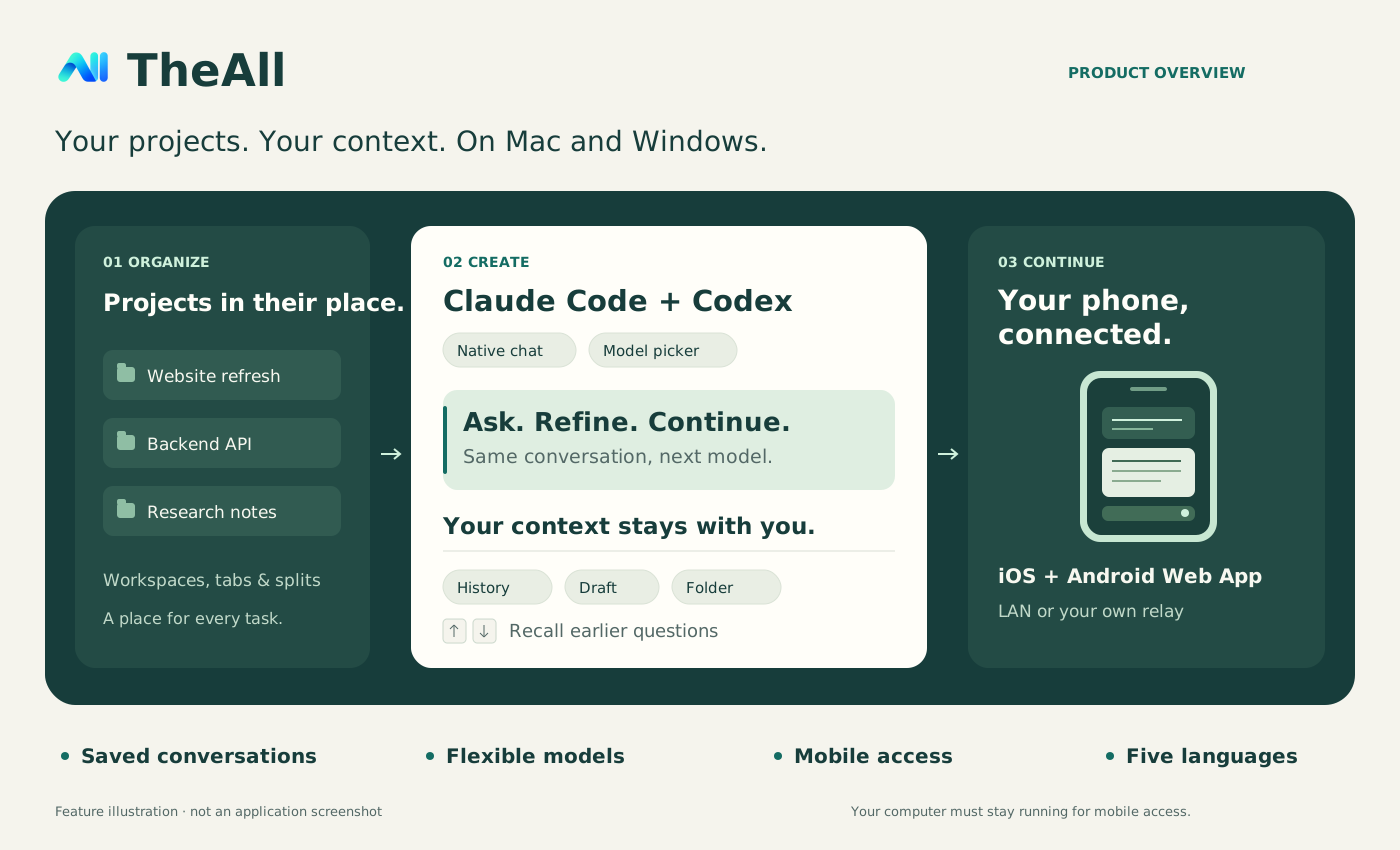
Make the everyday parts of AI coding feel direct: organize a project, choose a model, find the history, and keep moving.
Organize tasks into workspaces, tabs, and splits. Workspaces take their name from your first question, with the working folder always in reach.
Switch models for your next message from a dropdown. Use official APIs or compatible custom Base URLs while keeping your chat and draft.
Reopen saved conversations, models, and folders. Recall previous questions with ↑ / ↓ in the composer, without losing your unsent draft.
Questions stand apart from answers. Completed thinking and progress collapse individually; expand what you need or jump to the latest reply.
API connections are saved through macOS Keychain on Mac and system encryption on Windows. History is stored locally, and conversations go to the AI endpoint you choose.
Read history, reply, start conversations, and stop tasks from an iOS or Android browser. Your phone and computer share the same sessions.
Windows x64 / ARM64 preview packages are available. Choose reasoning effort beside the model; Claude settings are confirmed before each message. Answers show completion time and duration. HTTPS mobile Web Apps support opt-in completion push, with compatible watches mirroring phone alerts; physical-device delivery remains unverified.
Use TheAll Mobile in your iPhone, iPad, or Android browser. HTTPS also supports home-screen installation. Give each phone access to all workspaces or just one, choose read-only or control access, and revoke it from the Mac or Windows app.
On the same Wi-Fi, click Connect phone in the sidebar and scan the code. No certificate, server, or domain required. Quick mode uses unencrypted local HTTP for trusted networks.
Deploy the included relay on your own server and domain. Your computer connects over WSS and your phone over HTTPS, with no extra VPN app or router port forwarding.
Your computer must remain running and awake. No hosted relay is included. A relay can read the traffic it forwards, so use infrastructure you trust. API keys are not sent to your phone.
Mobile setup guide ↗You need macOS 14+ on an Apple Silicon Mac, or Windows 10 (version 1809+) / Windows 11 on x64 or ARM64. You also need an API connection and a separately installed Claude Code or Codex CLI. See requirements.
Mac: download v0.1.6 and move TheAll.app to Applications. DMG · ZIP
Windows: run the installer, the portable EXE, or TheAll.exe from the extracted ZIP. x64 installer · ARM64 installer · All downloads
Choose a folder and Claude / OpenAI. Enter your API key and an optional Base URL. Saved connections can be reused in new conversations.
Choose a model and ask your question. ⌘ Return / Ctrl Enter sends; Return adds a new line. Use ↑ / ↓ to recall earlier questions.
The Mac build is arm64, uses a local development certificate, and is not notarized by Apple. macOS may block the first launch; after verifying the download and choosing to trust it, use Privacy & Security → Open Anyway if offered. Windows preview packages are unsigned and may show a SmartScreen notice; ARM64 is not device-tested. Automatic updates are not configured. Apple's guidance · Windows guide · Verify downloads
Execution behavior: Agent tools execute automatically, including file changes and deletion, dependency installation, and Git pushes. Choose a project you intend the agent to operate. Questions that require your answer still wait for input.
Yes. TheAll provides a desktop chat interface on macOS and Windows and runs your installed Claude Code or Codex CLI behind it. You configure your own API connection; service charges are determined by your provider.
v0.1.6 includes macOS 14+ Apple Silicon builds and unsigned x64 / ARM64 preview packages for Windows 10 (version 1809+) and Windows 11. ARM64 is not device-tested. Linux and Intel Mac packages are not provided. The mobile companion is an iOS/Android Web App.
Yes, after you deploy and configure a public relay. On the same local network you can connect directly to the computer. Both modes require the computer to stay online and running. Relay deployment guide.
The source is public for inspection. Use and distribution of source code and binary downloads are governed by LICENSE and any separately granted permissions; public availability does not grant a general license. Third-party licenses remain applicable. Read LICENSE.
Claude Code, Codex, and every conversation you want to continue.